
Automate Your Migration.Webwidely Woo Migrator
The automated Shopify application engineered to move your WooCommerce products, customer profiles, historical orders, and 301 redirects directly into Shopify Admin.
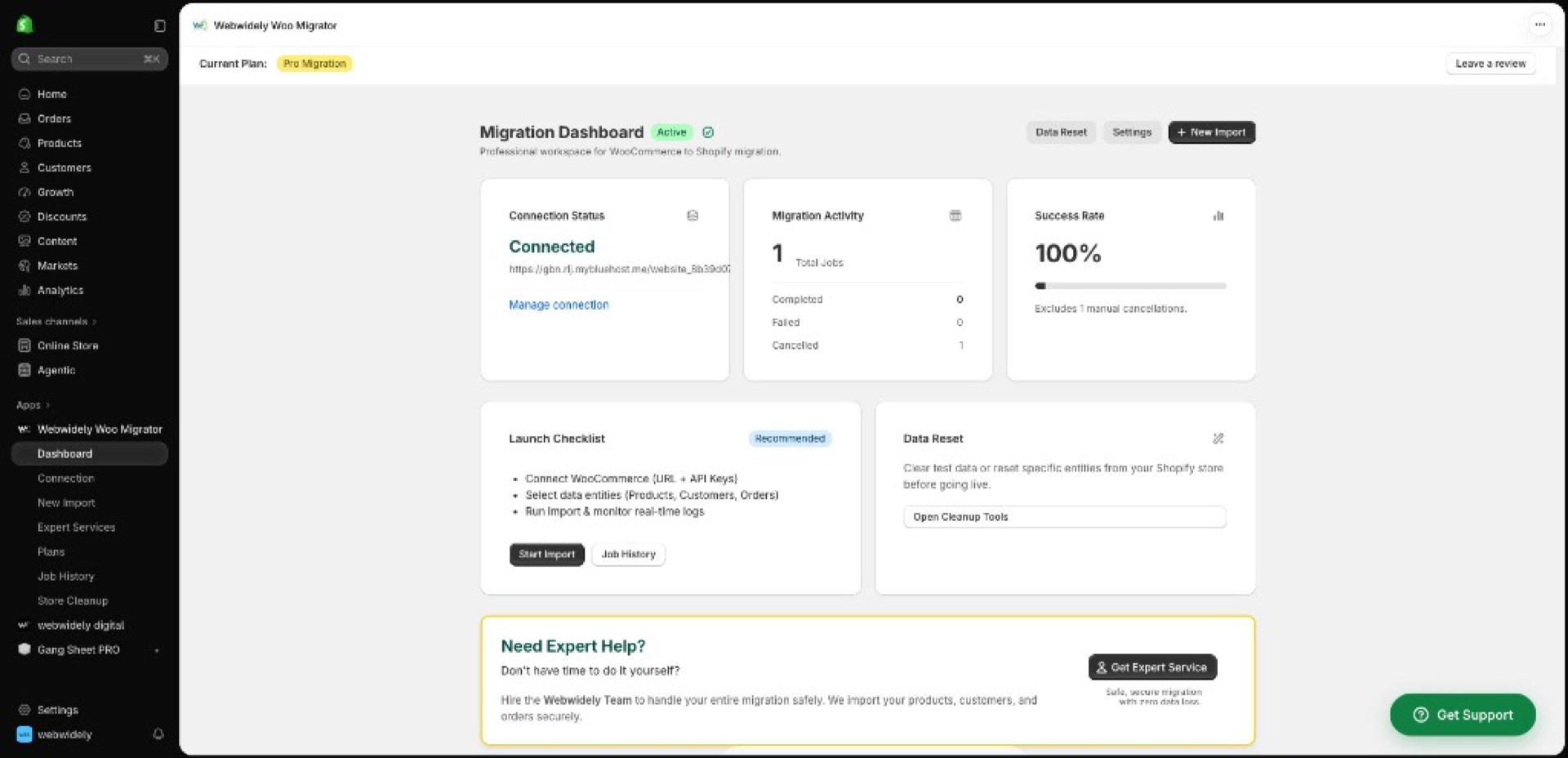
Engineered for Precision & Safety
Explore the real application interface. Every feature was built to solve the problems that make generic CSV plugins crash.
Schema & Custom Field Builder
Map Custom Post Types & Metaobjects
Configure entity relationships, map JetWooBuilder CPTs, and customize product metafield structures before data moves.
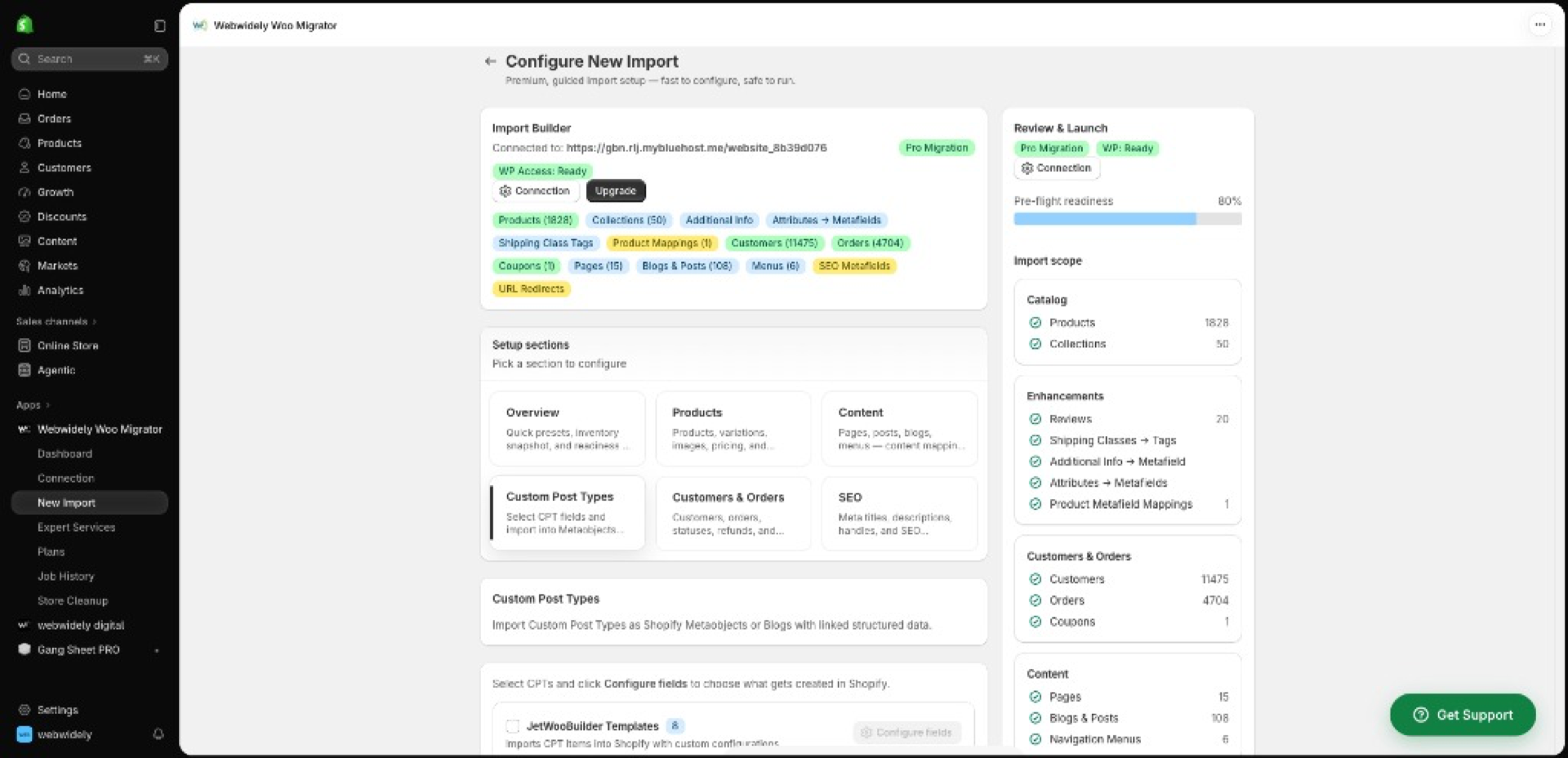
Live Health & Status Dashboard
Real-Time Telemetry Inside Shopify
Observe real-time ingestion velocity, verify pre-flight readiness checklists, and monitor database consistency.
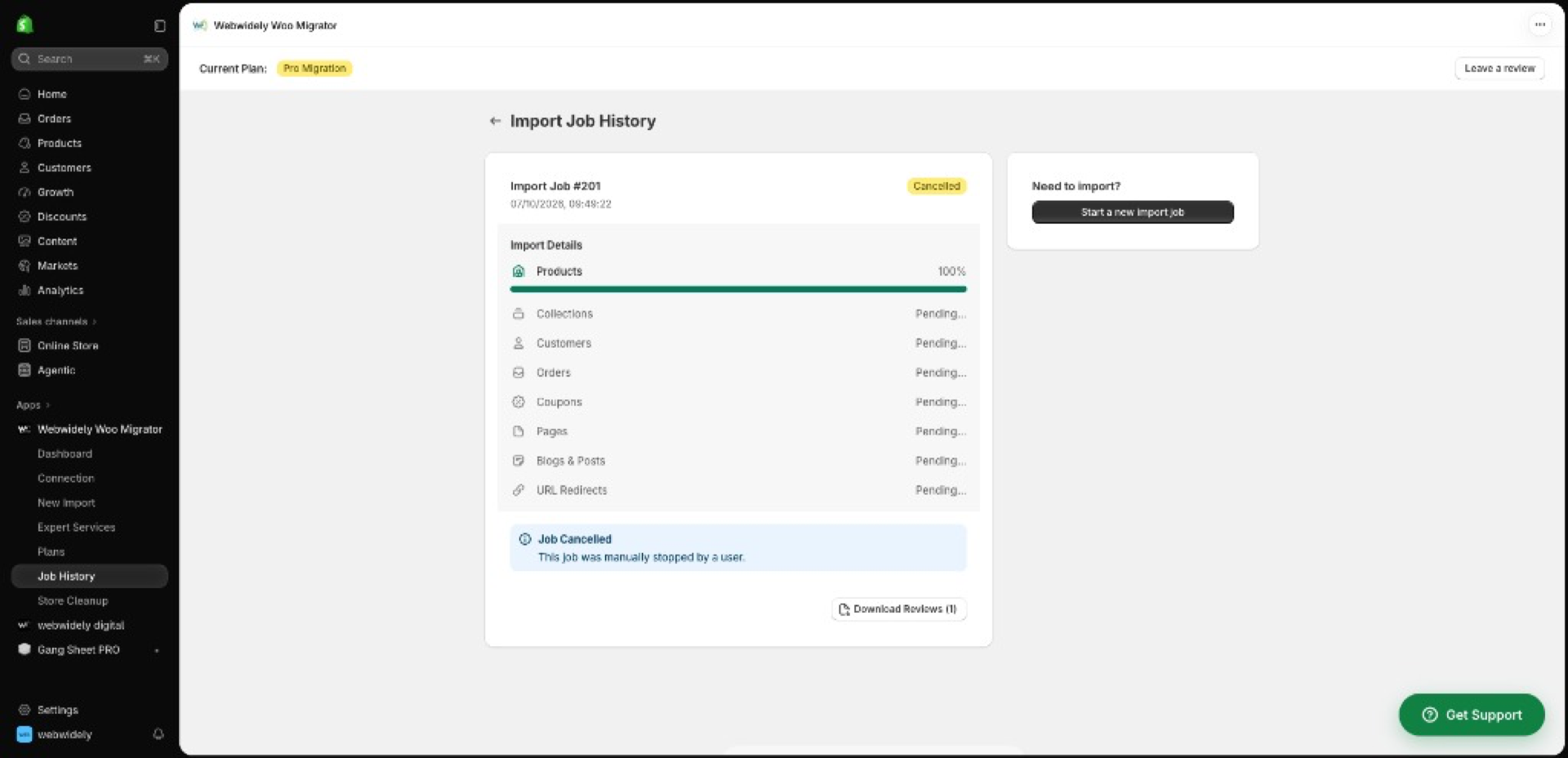
Granular Batch Progress & 301s
Entity-by-Entity Verification Logs
Track live batch processing for products, collections, customers, coupons, pages, and SEO redirect tables.
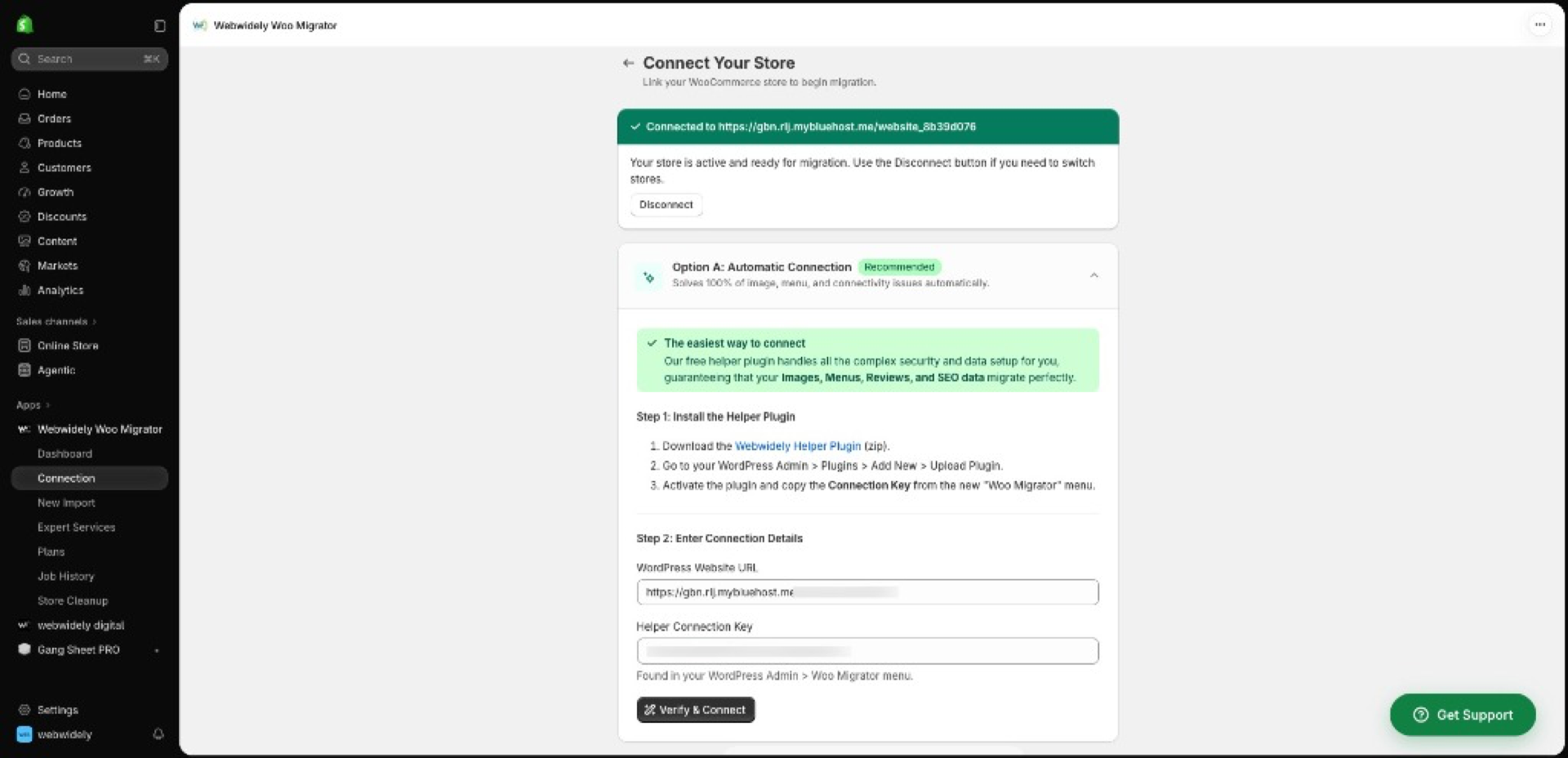
Encrypted REST API Connection
Automated Helper Plugin Handshake
Connect your WooCommerce database in seconds via secure REST API credentials without PHP execution timeout crashes.
Complete Entity Coverage
The app transfers the critical relationships between your catalog, orders, and SEO architecture.

Products & Variations
Extract simple, variable, and grouped products with SKUs, inventory counts, pricing, attributes, and image galleries.

Customer Records
Safely transfer customer contact profiles, billing and shipping address books, and historical tags.

Complete Order History
Import historical orders with line items, financial totals, order fulfillment statuses, and localized tax data.

301 SEO URL Redirects
Automatically map legacy WooCommerce permalinks to new Shopify handles to preserve your organic Google traffic.

ACF & Metafields
Map Advanced Custom Fields (ACF) and custom post types into native Shopify 2.0 Metaobjects and Metafields.

Reviews & Blog Articles
Migrate authentic product reviews alongside WordPress blog articles, authors, categories, and featured images.
Self-Service App vs. Managed Agency Service
Decide whether you want to run the migration yourself using our app, or hire our senior ecommerce engineering team for white-glove delivery.
Webwidely Woo Migrator App
Install our app, link your WooCommerce store via our helper plugin, and run your import directly inside Shopify Admin.
- ✓Ideal for standard stores with straightforward catalogs
- ✓Self-guided interface with automated 301 redirects
- ✓In-house execution on your own schedule
- •You configure your own Shopify theme and frontend
Full Managed Migration Service
Our senior engineering team handles your entire transition: custom ACF field mapping, bespoke theme build, delta sync, and planned cutover.
- ✓Dedicated migration engineer managing your database
- ✓Custom ACF fields & post types mapped to Metaobjects
- ✓Shopify 2.0 theme configuration & conversion optimization
- ✓Pre-launch Delta Sync & planned DNS cutover
How to Use the App
Four simple steps from App Store install to completed data import.
Install the App
Add Webwidely Woo Migrator directly from the official Shopify App Store to your Shopify admin.
Connect WooCommerce
Install our lightweight helper plugin on WordPress to generate a secure, encrypted API connection key.
Configure & Map
Select which entities to import (products, orders, customers, 301s) and map your custom ACF fields.
Run Background Sync
Execute the migration. The app securely ingests your data in the background while your live store keeps selling.
Frequently Asked App Questions
Have specific questions about database size, plugin compatibility, or API limits?
Do I need technical coding skills to use Webwidely Woo Migrator?+
No. The app is engineered with an intuitive guided interface inside Shopify Admin. For standard catalogs, you simply connect your WooCommerce credentials, select your data entities, and start the automated import.
Will running the app slow down my live WooCommerce store?+
No. Our automated helper plugin uses rate-limited API batching that queries data efficiently in the background without spiking your WordPress server CPU or disrupting active shoppers.
When should I use this self-service app vs. hiring your team for a Managed Migration?+
The self-service app is ideal for stores with standard setups who want to handle the move in-house. If your store has 20,000+ orders, bespoke plugin business logic, complex B2B pricing, or requires full custom theme design, we recommend our Done-For-You Managed Migration service.
Does the app automatically generate 301 redirects?+
Yes. The app records your original WooCommerce product, category, and page URLs and generates corresponding 1:1 301 redirects in Shopify to safeguard your Google rankings.
Is my WooCommerce database data safe and private?+
Completely. All data transfers occur directly between your WooCommerce server and your Shopify store over 256-bit SSL encrypted REST channels. We do not sell, store, or share your customer or financial data.
Ready to Move Your Store to Shopify?
Install the automated app for in-house migrations, or get a free technical audit from our engineering team.
Official Shopify App Store partner software · 256-bit SSL encrypted pipeline.